Deutsch
Join the beta

Free covers two people, Family up to six. Share your location just for the way home, for 15 to 45 minutes. Encrypted, and private again afterwards.

Join the betaFree, for iPhone and Android

Our thank-you to beta testers: 6 months of Clypa Family for free.

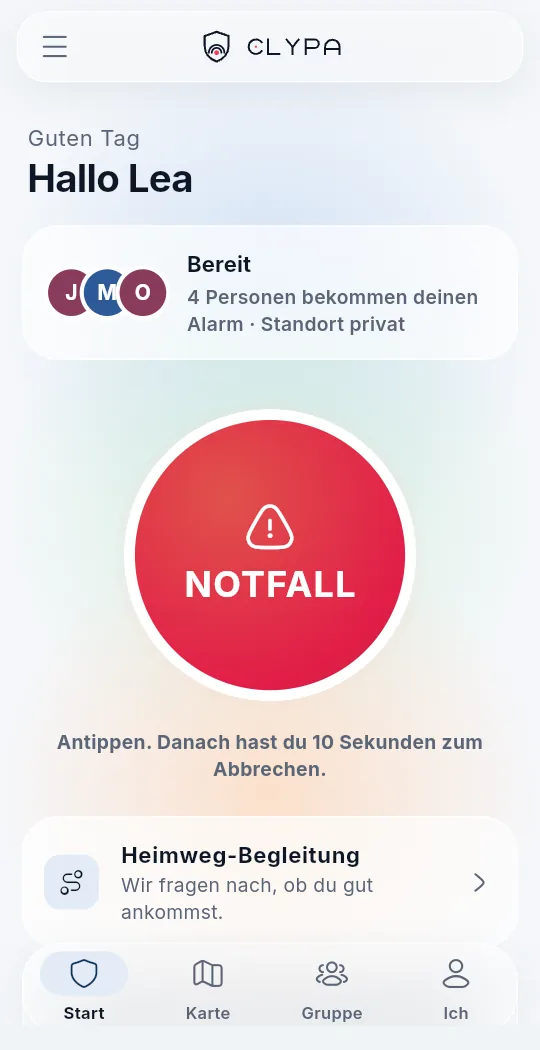
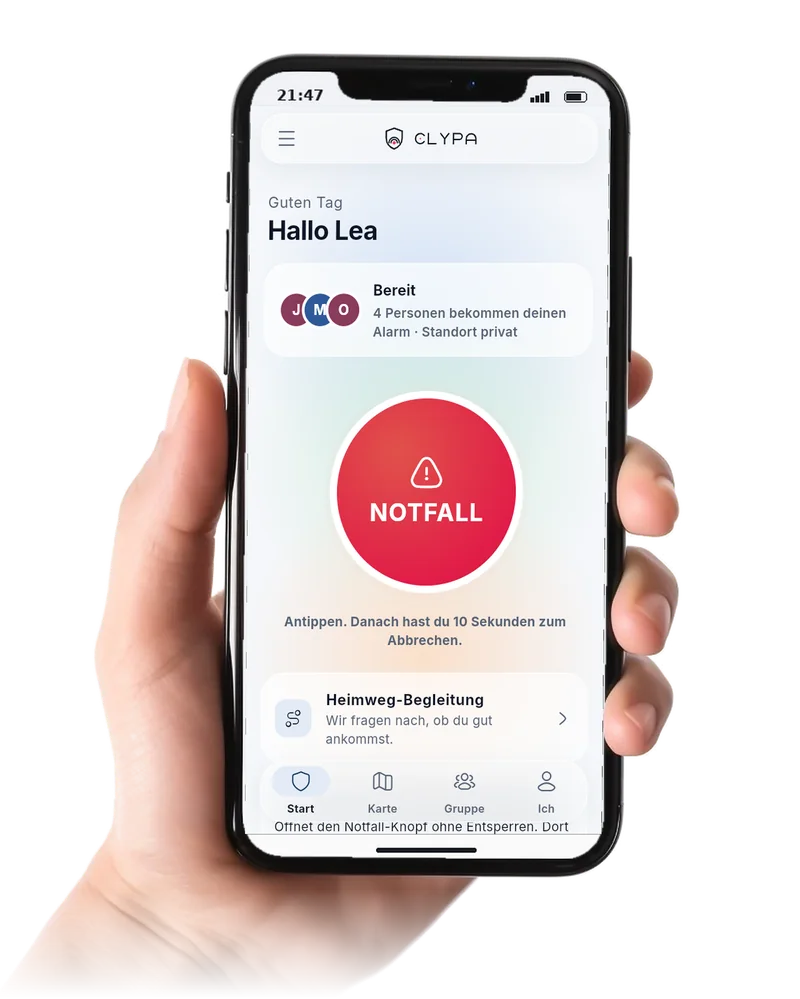
Clypa home screen (German UI): “Bereit” (ready), four people get the alarm, the large emergency button, the walk-home escort below

Last one to leave the party.

You’re walking home alone. With the walk-home escort you pick a destination and an arrival time. When you get there, it ends by itself. If you don’t, Clypa asks: “All okay?” If there’s no answer, an alarm goes to your group after two minutes.

Clypa home screen (German UI) with the walk-home escort tile

Alone at night. Something feels off.

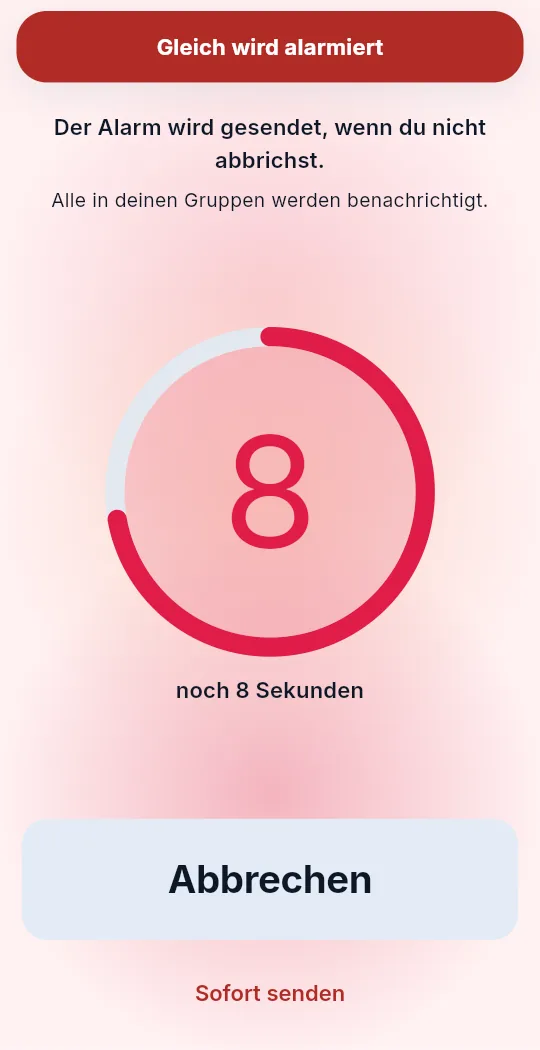
One tap on “Emergency” starts a countdown. You get ten seconds to cancel in case you tapped by mistake. Only then does the alarm go out. And the app turns red, so you can see: this is serious.

Clypa countdown (German UI) on a red ground: “8 seconds left” with a large cancel button

The right people know.

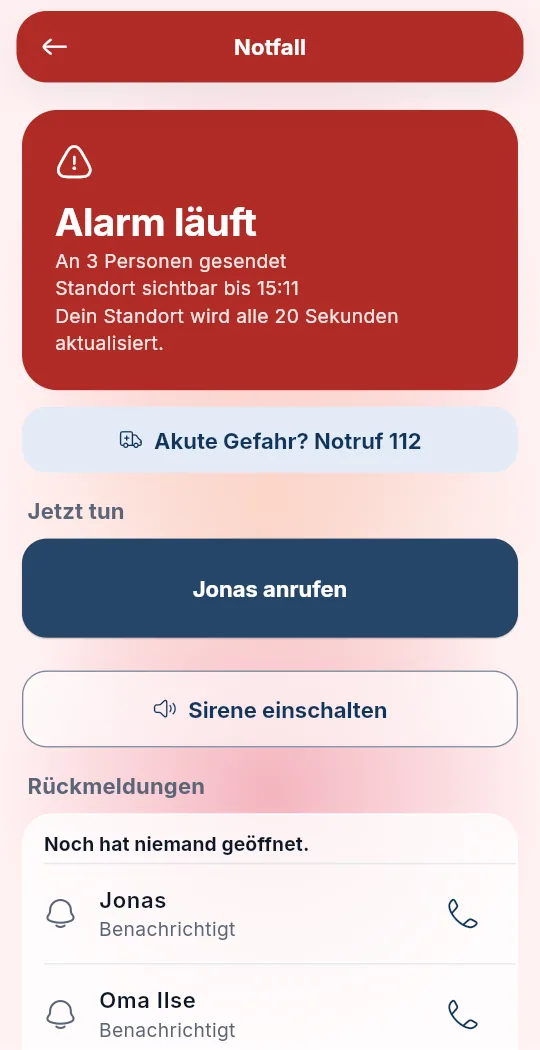
Your alarm goes straight to everyone in your groups. For each person you can see whether it arrived, whether they opened it and who’s taking care of it. If nobody takes over within two minutes, up to three priority people also get a neutral SMS with Family.

For now, whether a phone rings and how loudly is still up to the phone. Silent mode and Do Not Disturb stay the way the person set them. Critical notifications that may break through Do Not Disturb are planned. On iPhone that needs Apple’s approval, on Android your consent. Until then, we don’t promise it.

Simplified view. The SMS comes with Family; on Free everything goes by push.

Clypa “alarm running” screen (German UI): sent to 3 people, emergency number 112, “call Jonas” and the replies per person


Home.

You end the alarm. The app goes calm again and your group sees: all good. That’s all anyone wanted to know tonight.

Clypa home screen (German UI) after the alarm: calm again, status “Bereit” (ready)

Real app screens (German UI) with demo data. Mia, Jonas, Lea and Grandma Ilse aren’t real people.

What the delivery service sees. And what it doesn’t.

Picture every message in two envelopes. The delivery service may open the outer one, so it knows where to take it. Only your group’s devices can open the inner one.

What the delivery service sees

  • a pseudonymous recipient ID
  • which group the message belongs to
  • when it’s delivered

Only your group can read this

  • Location
  • Movement and speed
  • Battery level
  • Alarm details
  • Messages

What delivery needs

For a message to arrive, the delivery service has to know a few things: which pseudonymous recipient ID it’s for, which group it belongs to and when it’s delivered. Those details aren’t end-to-end encrypted. The content is. We only use phone numbers for the SMS to your priority people, and that comes with Family.

What your phone decides

Apple and Google carry the notification to the phone, but they can’t read what’s inside. Whether it then rings or just vibrates depends on the phone’s settings. Silent mode and Do Not Disturb apply to Clypa too.

Try the real app.

This is the Clypa interface right in your browser, with made-up demo data. It only loads when you hit start. And nothing you do here leaves your browser.

Open the demo in a new tab

The live demo isn’t available right now. This is what the home screen looks like.

What Clypa costs.

During the beta: nothing. Once Clypa is on the App Store and Google Play, here’s how it works:

Family

€5.99 a month

  • For 3 to 6 people
  • SMS to up to 3 priority people if nobody responds
  • Kids mode and “last seen” all the time
  • Premium in the family’s other groups too
  • 14-day free trial, cancel any time
  • 10% off the first two months

Our thank-you to beta testers: 6 months of Clypa Family for free.

Family+: from the seventh person on, each extra person is €0.99 a month. The owner or any member can add the seat.

Photo: someone lying by a window at night, looking at their phone, city lights outside

Why I’m building Clypa.

I’m building Clypa so that an emergency alert reaches the right people. And so that, day to day, the map calmly shows where your people are and how fresh that is. In the dev log I write about what I’m working on.

Clypa is an independent project. I’m building it on my own.

Follow along in the dev log

What you’ll want to know.

From the dev log

All entries RSS

The first entry is in the works. You can already subscribe to the RSS feed.

What’s next?

Clypa isn’t finished, and that’s a good thing. Improvements ship regularly, in small, calm steps.

  • Fake callPlanned

    A real-looking incoming call at the press of a button. It gives you a polite way out of a situation that doesn’t feel right.

  • Clypa AmuletPlanned

    Later, when the time is right: a small companion, like a Bluetooth tag or a ring with a button. So you can get help without reaching for your phone.

The goal stays the same.

People of every age should be able to feel safe, independently and with privacy first. That’s why I’m building Clypa step by step towards zero knowledge. The service should know as little about you as possible. Content is already end-to-end encrypted today. What delivery needs stays as limited as described above.

Fair prices. And your data is never sold. Not to anyone, not ever.

There are no dates. New things arrive when they’re genuinely good.

Did you get home safe?

The beta is small and personal. You get early builds for iPhone and Android. I get honest feedback.

Join the beta

Your phone
Free, for iPhone and Android

Our thank-you to beta testers: 6 months of Clypa Family for free.

For accepted beta testers once Clypa is on the App Store and Google Play, as a free trial of the Family subscription. After that it renews automatically at the regular Family price of €5.99 a month, unless you cancel before then in your store’s subscription settings. You can cancel any time. We’ll email you how to redeem it before launch. The beta itself is free.

Scan with your phone to join the beta

Download on the App StoreGet it on Google Play

The store links go live once the app is published.

A hand holding a phone with the Clypa app
ClypaClypa is in betaJoin the beta